
Explaining Single Sign On (SSO)
Published on January 26, 2023
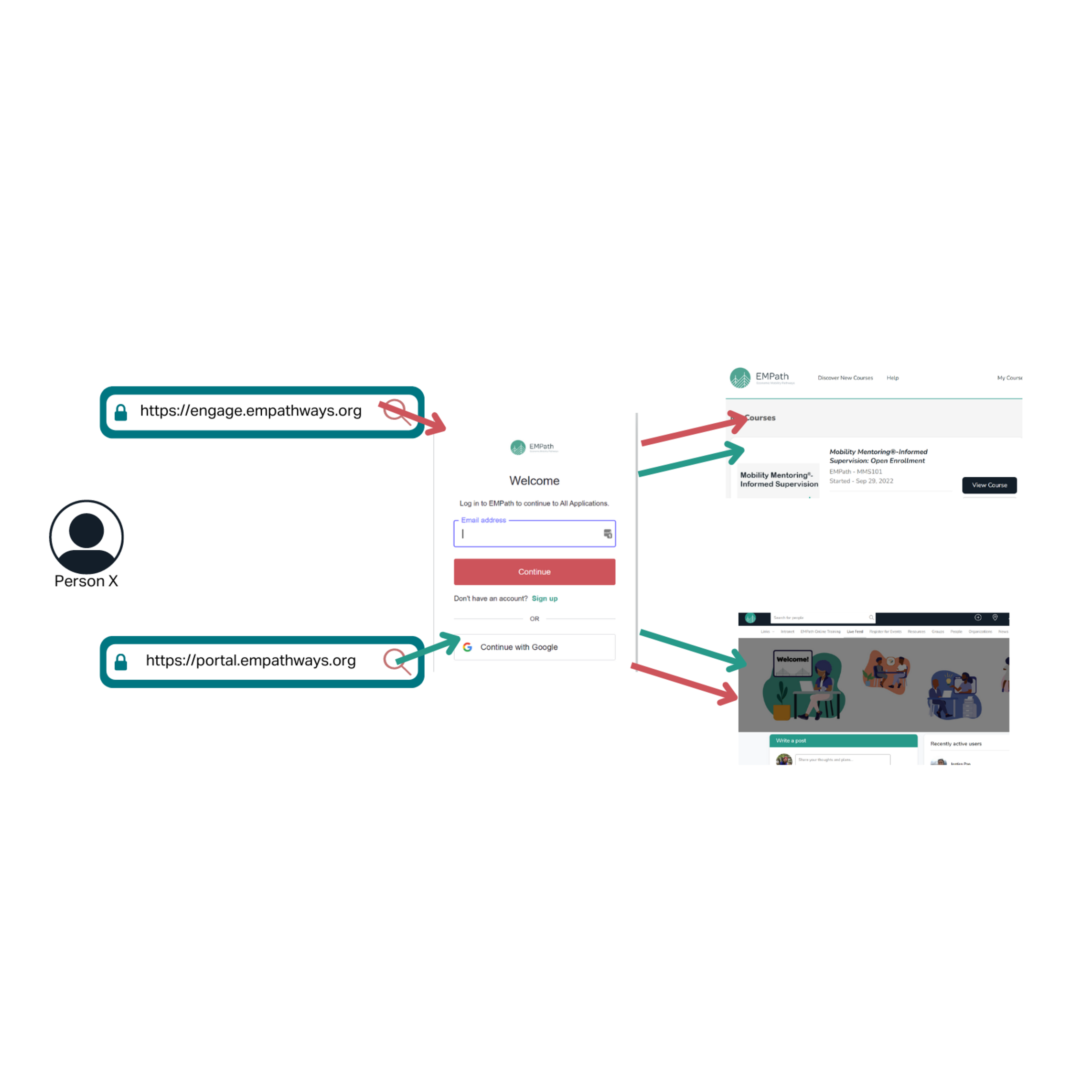
Single Sign On (or SSO) will be going live on 1/20/23! SSO will be enabled for both the portal (portal.empathways.org) and our online courses. This means that the email & password you set will be identical for both of these services. It's our hope that this will reduce the challenges many members have experienced in accessing both the courses and the portal.
What is SSO?
Single Sign On (SSO) is a service that centralizes and simplifies the log in experience.. If you've ever gone to sign up for an account on a website and clicked the box to create an account using your Facebook, Google, or Twitter account, you've used SSO!
What to expect:
Users with accounts on both engage.empathways.org and portal.empathways.org:
- After 1/20/23, the first time you visit one of these sites, you will be asked to re-set your password
- NOTE: This applies for folks who have used the same email for both log ins. If you used separate emails for each, please reach out to us at [email protected]
- This is a security precaution and feature; we do not have access to individual passwords as they are currently set up in each system
- Once you re-set your password the first time, you will be able to access both the portal and the courses with the same log in.
Users with an account on either engage.empathways.org or portal.empathways.org (but not both):
- After 1/20/23, the first time you visit the site you already have an account with, you will be asked to re-set your password
- this is a security precaution and feature as we do not have access to your current passwords
- If in the future, you want to access a course for the first time or the portal for the first time:
- Joining a course: When you follow the course registration link, engage@empath will identify that you already have an SSO log in and get you into the course with your existing log in
- Joining the portal: When you want to join the Portal, you will be prompted to use your SSO log in to access the site
User with no accounts on either:
- On your first attempt to either access Mobility Mentoring Foundations or join the portal, you will be asked to set up an account with user name, company name, & password
- For the portal, you will then be re-directed to a page requesting further information
- For engage@empath, this will drop you into the landing page and give you access to the course
- You can then use this same log in to register for the other site as well.